

Running a great SEO program means leveraging lots of data. We find it helpful to have a good dashboard to help make sense of all that data. We tend to use dashboards for two purposes: 1) exploration and analysis, and 2) reporting for stakeholders.
These are five of our favorite SEO dashboards for analysis and reporting. They’re all free to use and based in Data Studio (formerly Looker Studio, formerly Data Studio, oy vey), a free Google tool. And free is not easy to find! Maintaining a Data Studio template takes work, and many options are freemium—free to use, costs money to continue.
As a plus, when you start with a Data Studio template, you can customize the dashboard for your needs, deleting elements you don’t use, and reorganizing to fit your circumstances.
List reviewed and updated 11/5/26.
1. Hannah Rampton’s Search Console Explorer Studio
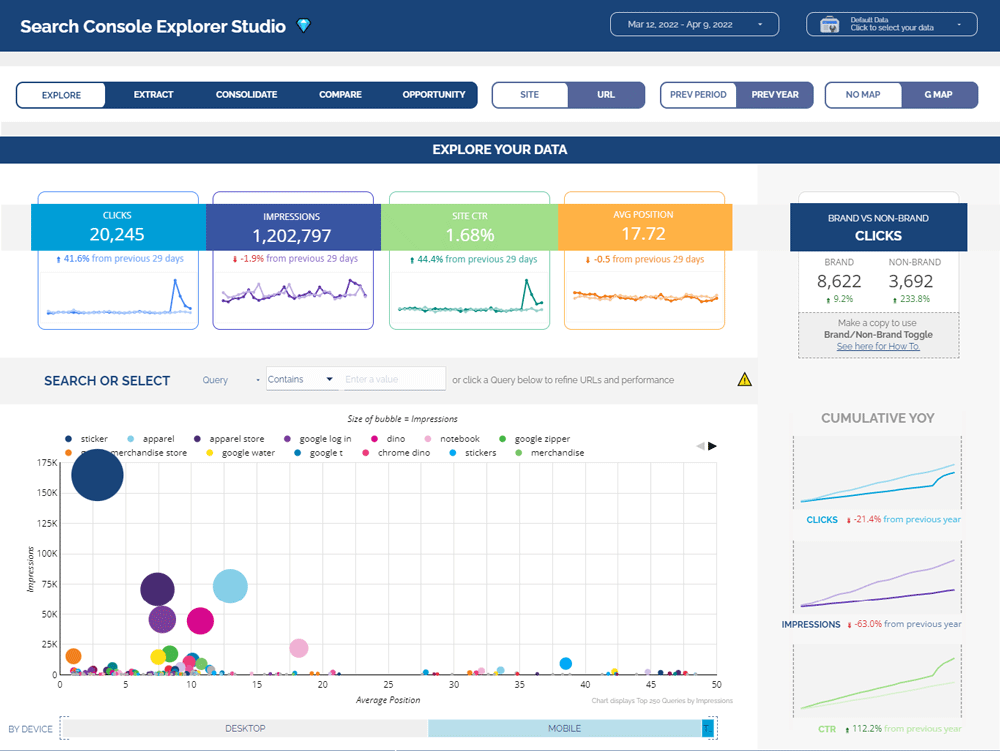
A popular Google Data Studio dashboard that offers comprehensive exploration and analysis of Google Search Console data. Includes embedded help guides and enhanced functionality for data exploration and export.
Key features:
- Advanced data exploration with toggleable comparison and aggregation options
- Keyword cannibalization detection with interactive cross-filtering
- Built-in tools for generating REGEX and CASE statements
- Unlimited data export capability, bypassing the typical 1k row limit
- Side-by-side performance comparisons with flexible time period options
2. SEOFOMO’s GSC Dashboard
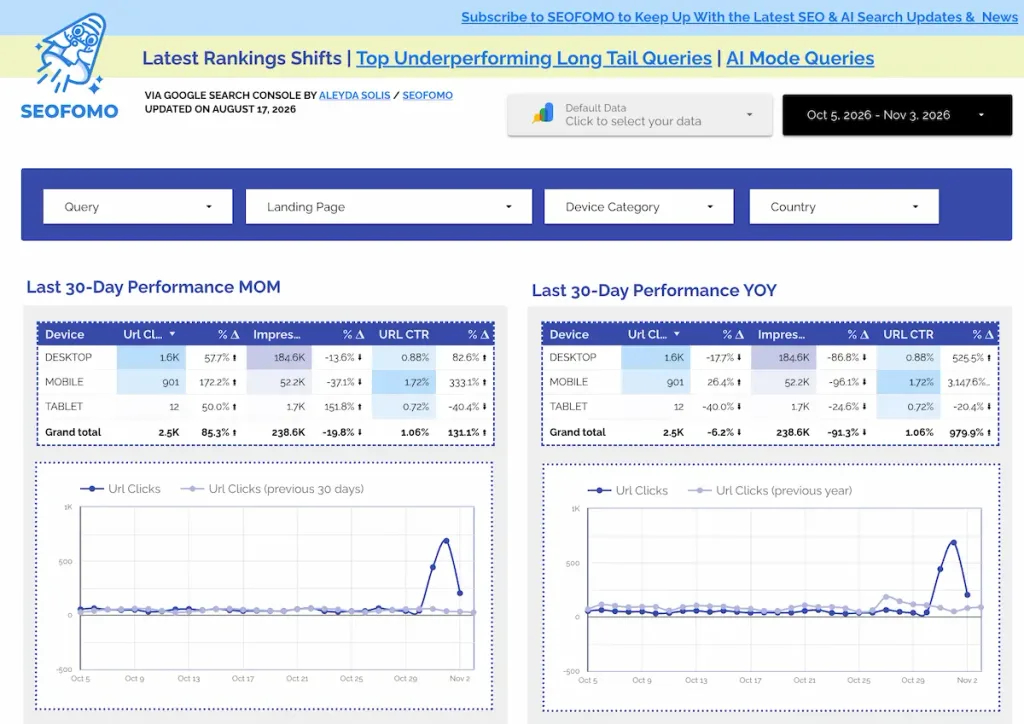
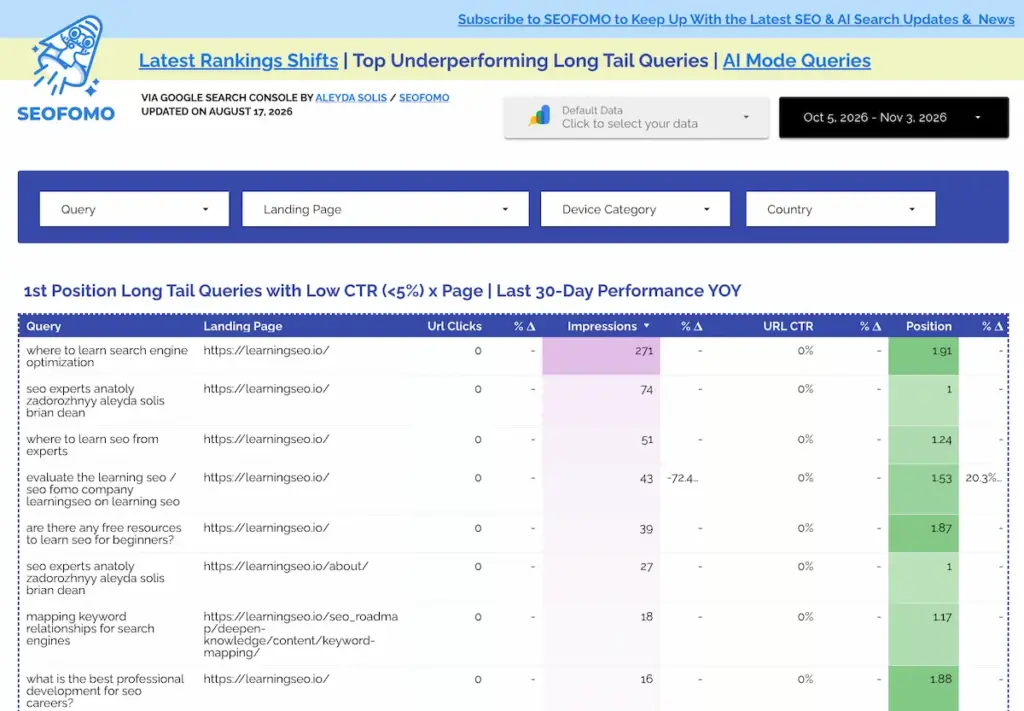
This dashboard by Aleyda Solis has connects to Google Search Console and helps highlight opportunities for improvement based on recent performance data.
Key features:
- Latest Ranking Shifts shows trends, queries, and pages data, highlighting moves that need attention.
- Top Underperforming Long Tail Queries shows queries and their performance bucketed by position.
- AI Mode Queries shows possible AI Mode queries, as defined by common prompt-like word inclusions. (GSC doesn’t report on AI Mode queries, so this is a helpful frame.)
3. Dominic Woodman’s Search Console Report
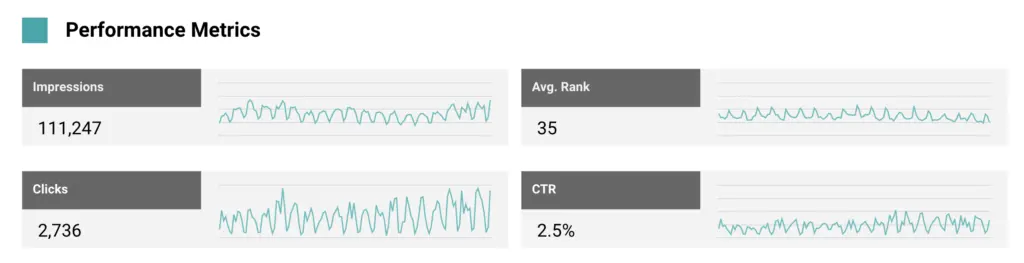
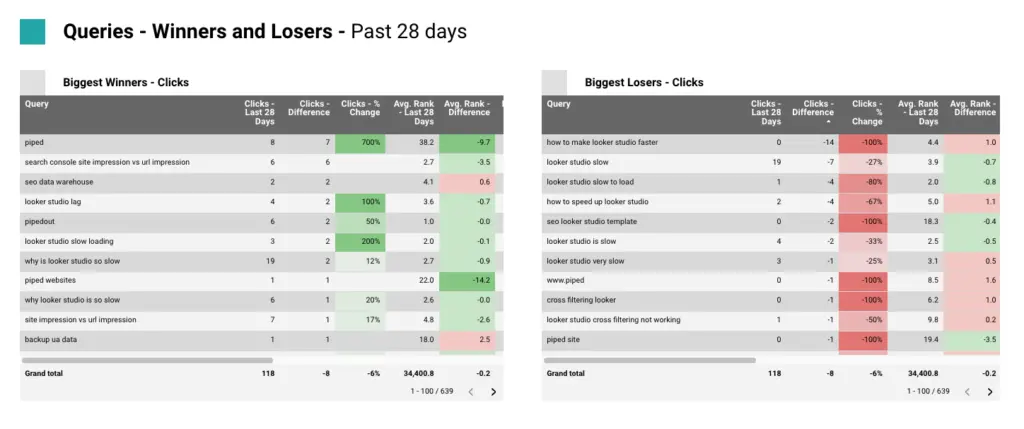
A customizable dashboard template focused on deeper analysis and reporting of Search Console data, designed to go beyond the basic interface that Google provides.
Key features:
- Dual layouts for both over-time analysis and period comparisons
- Detailed breakdown of average rank into more meaningful metrics
- Dimension-driven traffic analysis for deeper insights
- Built-in tracking against custom targets using Google Sheets integration
4. Screaming Frog’s Crawl Dashboard
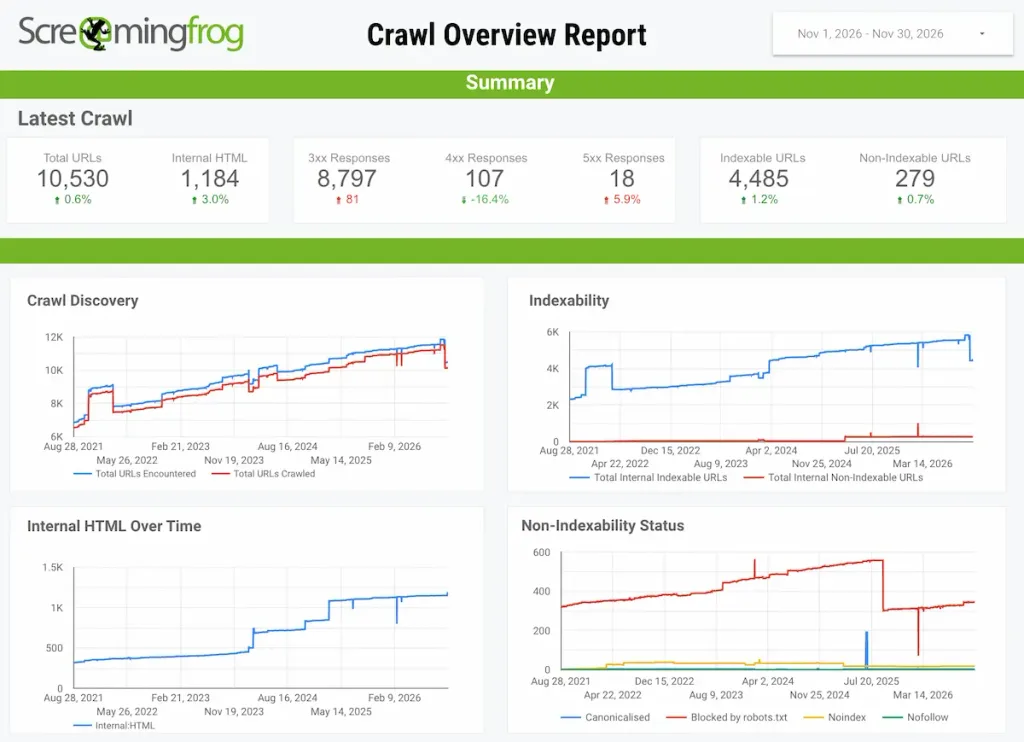
Create a dynamically updated view of your website’s crawl data by scheduling a crawl in Screaming Frog and connecting it to Google Drive and Google Sheets. This dashboard includes 14 pages with all the details on indexability, PageSpeed, structured data, and more.
5. Google’s Chrome UX Report (CrUX) Dashboard
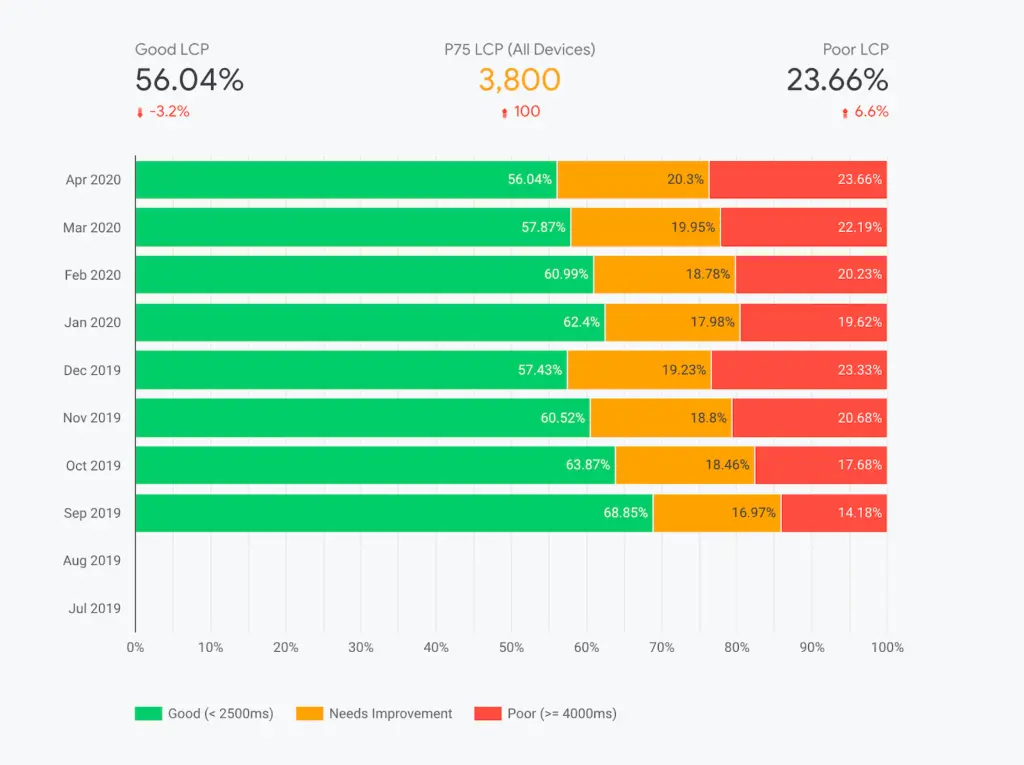
This dashboard focuses on user experience metrics that Google’s Chrome team collects on domains, in a public data set in Google BigQuery. This tool is maintained by the CrUX team and automatically updated with new metrics. It’s great for understanding key usability data about your domain and tracking it over time.
Three reports:
- Core Web Vitals, showing current mobile and desktop performance.
- Metric Performance, a view of Core Web Vitals performance over the past year.
- User Demographics, which shows how many mobile vs. desktop pages were rendered for the domain, as well as the connection types (4G, 3G, 2G, etc.) used to access the domain.

We’d love to hear about other Looker Studio dashboards you’ve found useful for SEO analysis & reporting. Add your thoughts in the comments below.
As you explore and adapt these templates to your needs, remember that mastering Looker Studio can take time—but the insights you’ll gain are worth the effort. Need some guidance along the way? Check out our Looker Studio for SEO training series on Youtube, or reach out to our team for personalized support. From troubleshooting to building custom dashboards tailored to your unique requirements, we’re here to help you transform your SEO data into actionable insights that drive results.




Here’s another nice one from Aleyda Solis.