
BigQuery has made some significant upgrades to their conversational analytics capabilities recently. Previously, I was a bit underwhelmed, but now I would consider myself whelmed, and possibly on the way to being overwhelmed 😉
The general idea is that you create an agent that interacts with a defined set of data sources and context-specific instructions, then ask it questions in plain language. Conceptually, this is a big improvement over the one-size-fits all conversational analytics features that exist in many platforms.
To test it out, I created an agent to help me analyze twooctobers.com. Below are some tips and takeaways. For a more comprehensive look, see Google’s documentation.
The Data Sources I Added
- GA4 via BigQuery Transfer Service
I used the GA4 BigQuery Data Transfer Service, which provides structured, pre-aggregated tables rather than the raw event-level tables you get from the free GA4 BigQuery export. If you’ve done the work of transforming the raw export data into reportable views, that should work equally well. - Google Search Console via Jepto
I’ve got several years worth of Search Console data piped in via Jepto. The resulting table is similar to the Search Console transfer, but Jepto can get historical data, which is well worth the $10/month. - WordPress Website Content
For this, I used the built-in XML export capability of WordPress, then had Claude convert it to JSON so I could import it into BigQuery. I only imported the ‘posts’ dataset, which includes pages, since the other datasets are mostly WordPress configuration details that are not relevant to my analysis.
I chose these three because I am interested in looking for opportunities to expand and improve content on our website. At a high-level, WordPress provides the starting point, GA4 provides engagement metrics, and GSC tells me the information intent of visitors.
Setting Up the Agent
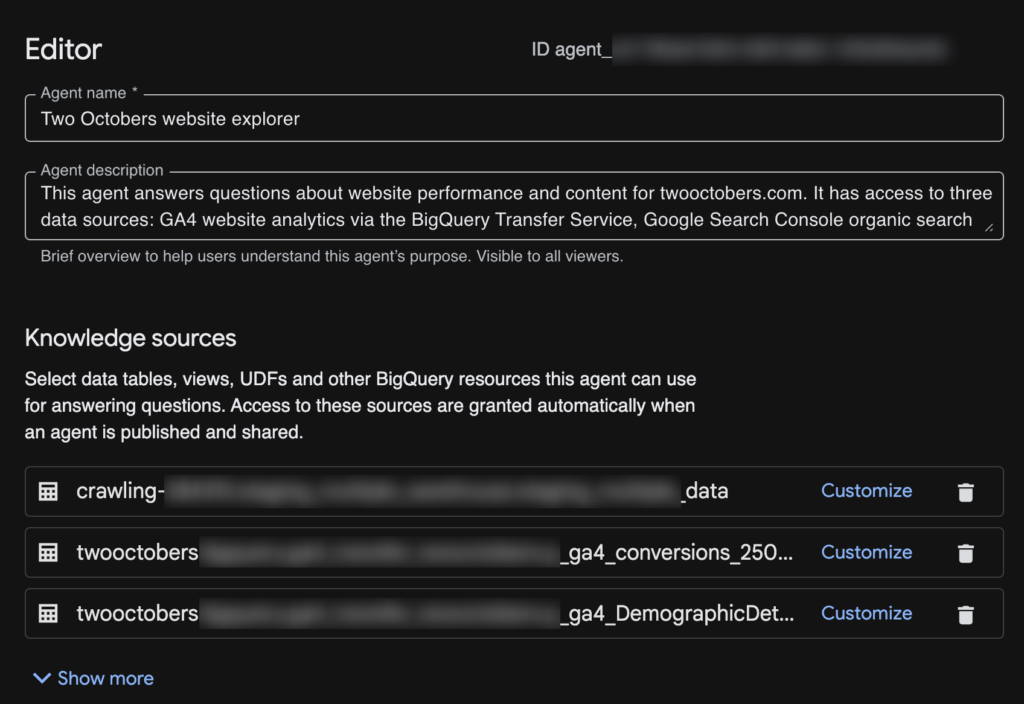
The setup process in BigQuery Studio is simple – you can have a functional agent going in a couple of minutes.
- You start by clicking on ‘Agents’ in the left rail in BigQuery, then click ‘New agent’. You may need to enable the necessary GCP APIs first.
- Then give your agent a name, description and add some tables and views.
- (optional, but recommended) If your tables and views don’t already have descriptions/column descriptions, you can ‘Customize’ and add them. I found that Gemini did a pretty good job of populating both.
- (optional) Add Instructions to provide more context/guidance to Gemini. I chose to leave this blank at first and see how well it did flying solo. It didn’t do very well.
- (optional, but strongly recommended) Enter a value for ‘Maximum bytes billed’. I put it at ‘160000000000’, which should top out at about a dollar. I’ve heard some horror stories about people accidentally accruing thousands of dollars in BigQuery costs – I don’t think I have enough data for that to be a risk, but better to be on the safe side.
You can also add glossary terms, verified queries, and a couple of other settings. I started simple and left them blank.
Tuning Agent Instructions
I was able to significantly improve agent performance with this approach:
- Run queries in Thinking mode
- Click ‘Show thinking’ in the output pane to see the agent’s process
- Look for issues
- Prompt for help adding or improving instructions, e.g. “Can you recommend additions/improvements to the agent instructions based on issues you encountered in your analysis?”
- Use an LLM (Claude, ChatGPT, or Gemini) to clean up the instructions – I found the agent to be good at describing problems it encountered, but a bit too verbose.
Keep refining your instructions as you use your agent.
First Impressions
Free-form data exploration: D
I’ve been using Claude + MCPs a lot for data analysis, and it tends to do pretty well at exploration with limited guidance. My BigQuery agent did not do well at all. I started with a fairly broad prompt:
I’d like to find content opportunities related to AI-assisted data analysis based on organic search volume and existing site content.
And the agent floundered a bit on what data to get. It then tried to generate insights based on incomplete and/or flawed data
Guided Analysis: B
As I got more detailed in my prompts, it started doing a lot better. I also added some specifics on how to join data between tables to the agent instructions, which helped too. Here is an evolved version of the prompt above:
Query Search Console for pages related to AI-assisted data analysis, ranked by impression volume. For each page, retrieve the associated blog post title and content from WordPress and engagement metrics (sessions, engagement rate, average engagement time) from GA4.
Then analyze and summarize:
*Content gaps — search queries driving impressions to these pages that are not well-addressed by the current page content
*CTR opportunities — pages with strong impression volume but below-average CTR, suggesting a title or meta description improvement
*Engagement gaps — pages with solid organic traffic but low engagement, suggesting the content isn’t meeting visitor expectations
*Missing content — high-volume queries in this topic area that don’t map to any existing page
Present results as a prioritized list of recommendations, with the supporting data for each.
It still stumbled on a few queries, but overall the results were a lot better.
SQL Helper: A-
One feature I really love is that it shows you the queries it uses to extract data:
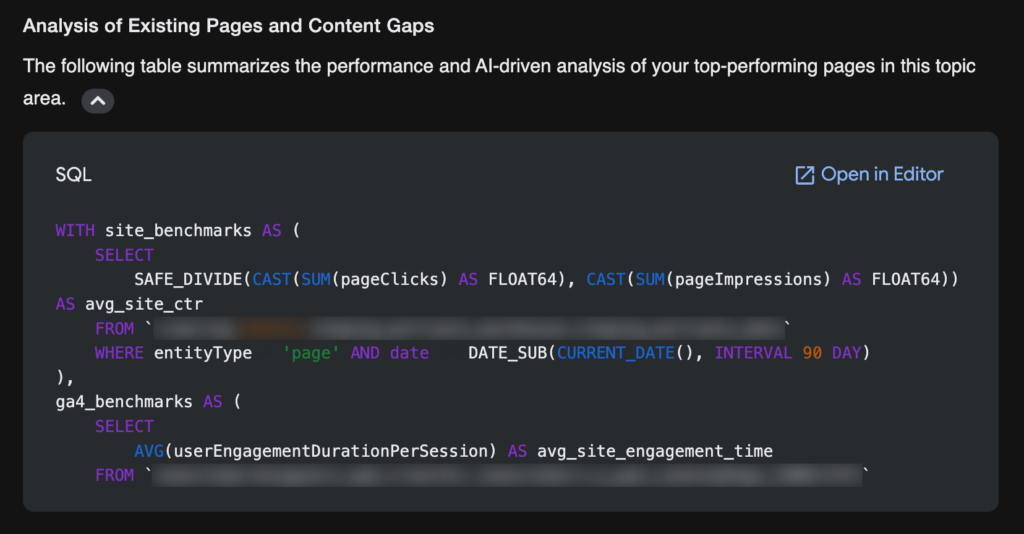
It’s still not perfect, but it’s pretty great.
Conversational Analytics API: Not tested yet, but intriguing
Another feature I’m pretty excited about is the fact that any agent you publish comes with an API. I’ve been building data analysis tools with Claude, and I can see this providing a really helpful interpretive layer between my tools and raw BigQuery data.
Closing Thoughts
BigQuery has made some nice improvements since releasing Agents a couple of months ago. In its current state, I see it as a useful tool for certain purposes, particularly when I take the time to refine instructions and table and field descriptions. As they continue to make improvements and I get better at using it, I can imagine it becoming invaluable.
If you would like help with setting up your own agents and/or data infrastructure, reach out.